Most built-in order header fields can be required for submission, and all custom order header fields can be required.
Configuring
To start requiring order headers, see Company Settings and find “Required Order Header Fields.” You will see both built-in header fields, like PO Number and billing information, and you will see any custom order header fields you’ve defined.
From here, you can check which fields will be required to submit orders, then save.
Behavior
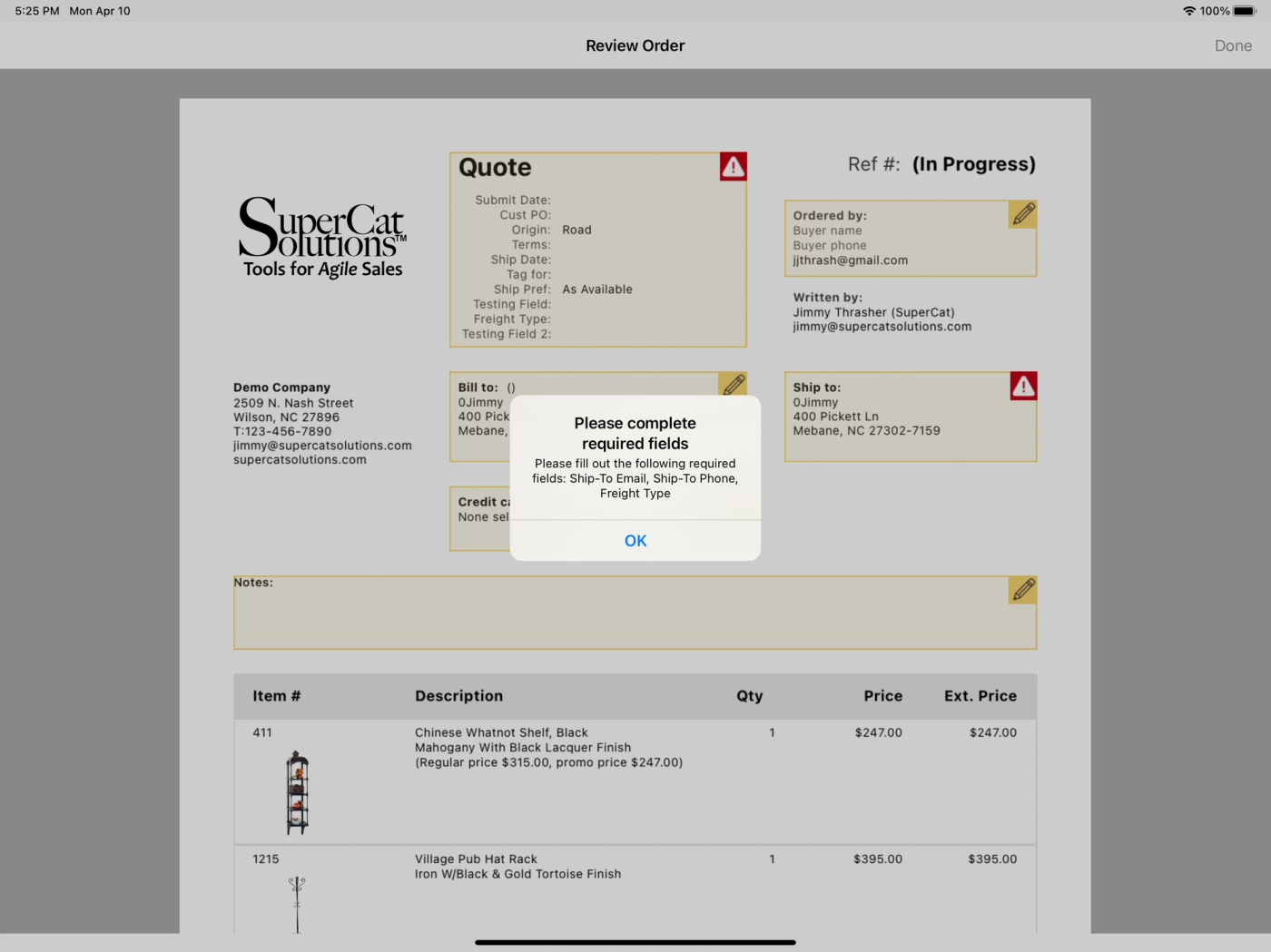
If a user tries to submit an order without filling out all the required fields, both eCat and eCat Online will present them with an error and guide them to resolve the issue.
Please note
- These may only be required for the whole organization. I.e. if a field is required for one user, it's required for all users.
- This feature requires eCat 2023.1 or newer.
- You can also require custom order header fields in the place where you administer them. For more information, see Custom Order Header Fields | Knowledge Base.